Build: Manufacturing Outputs from the Twin
Learn how manufacturing outputs are generated directly from the electrical model
Generate Bill of Materials
The BOM is generated directly from the electrical model, ensuring manufacturing outputs always match design intent. Component quantities are calculated from net topology—each component instance is counted, part numbers come from component library metadata, and specifications reflect current model state. When manufacturing changes occur (substitutions, modifications), these can be recorded in the twin, preserving as-built truth. The BOM serves as the manufacturing contract, and its traceability to the model ensures accuracy and enables change management.
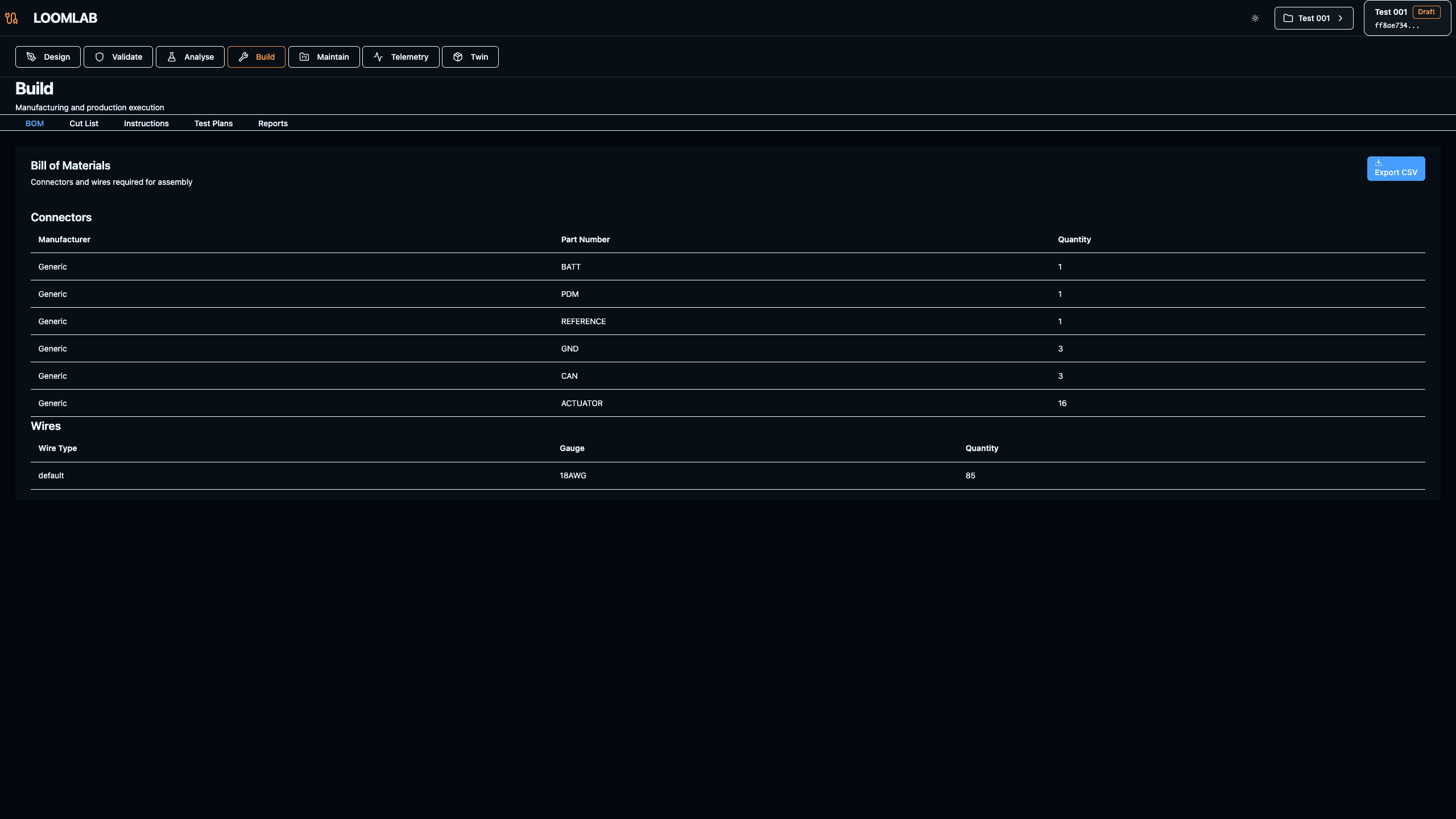
Actions:
- →Navigate to /projects/[id]/build
- →Review BOM table showing all components with quantities
- →Verify part numbers match component library metadata
- →Check component specifications and ratings
- →Understand how BOM links to design model components
Expected Outcome: Manufacturing-ready BOM table with components, quantities, part numbers, and specifications matching current model state
Wire Cut List — Manufacturing Instructions
The cut list translates electrical topology into manufacturing instructions. Each wire entry specifies length (calculated from routing intent), wire gauge (from ampacity validation), color coding (from net conventions), and terminations (from component interfaces). The cut list maintains alignment with the electrical model—if routing changes, wire lengths update automatically. Manufacturing can use this list to prepare wire assemblies, and any field modifications can flow back into the model, preserving as-built state.
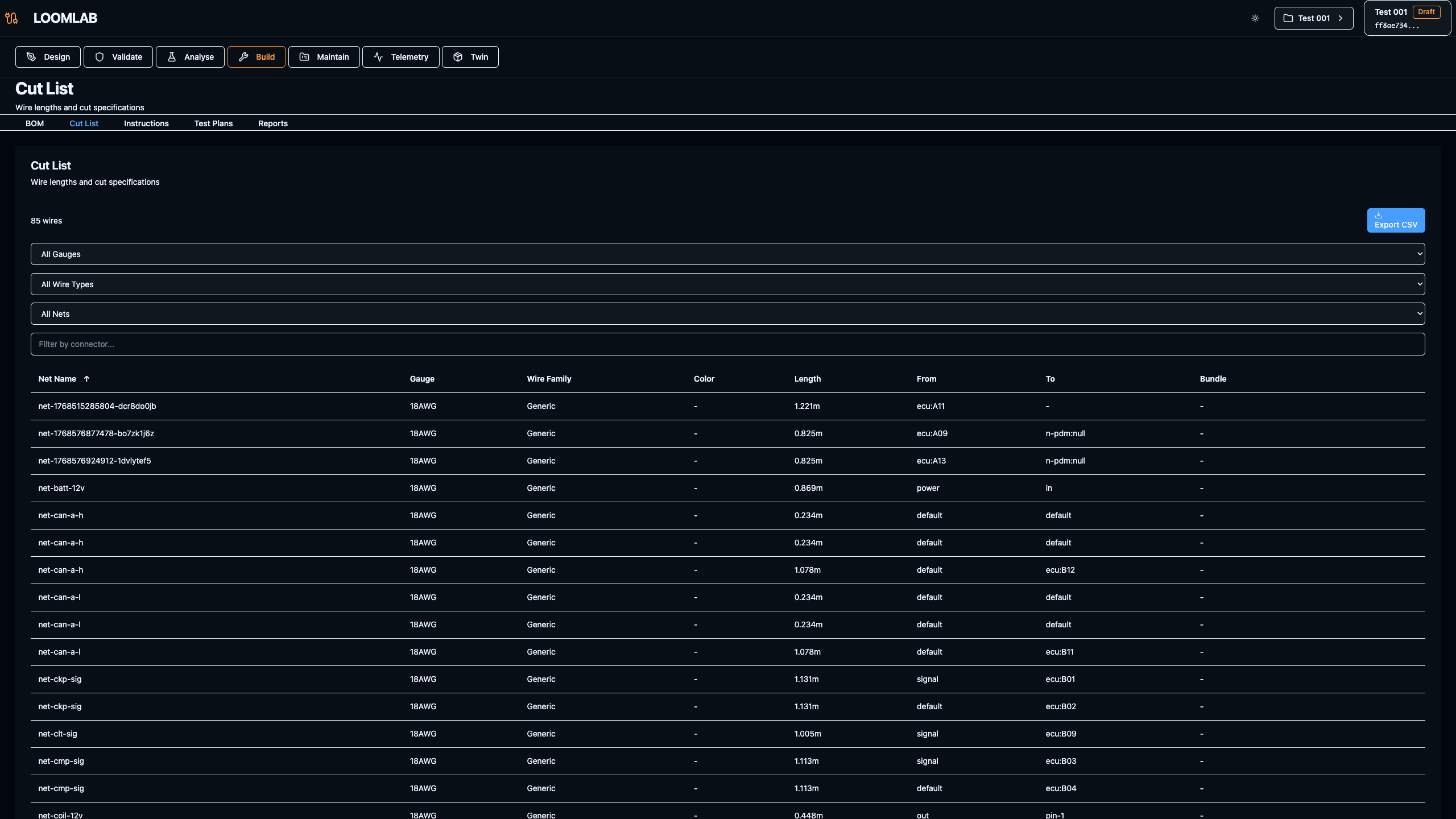
Actions:
- →Navigate to Cut List tab in Build page
- →Review wire-by-wire entries with lengths, gauges, and colors
- →Verify terminations match component interfaces
- →Understand how routing intent translates to wire lengths
- →Check net assignments and wire identification
Expected Outcome: Complete cut list showing wire lengths, gauges, colors, terminations, and net assignments ready for manufacturing
Assembly Instructions
Assembly instructions provide step-by-step guidance for building the harness, derived from the electrical model and routing intent. Instructions include bundle assembly order, connector pin assignments, routing paths, and installation sequences. These instructions are revision-aware—when the model changes, instructions update automatically. The instructions bridge design intent and physical assembly, ensuring manufacturing builds exactly what was designed.
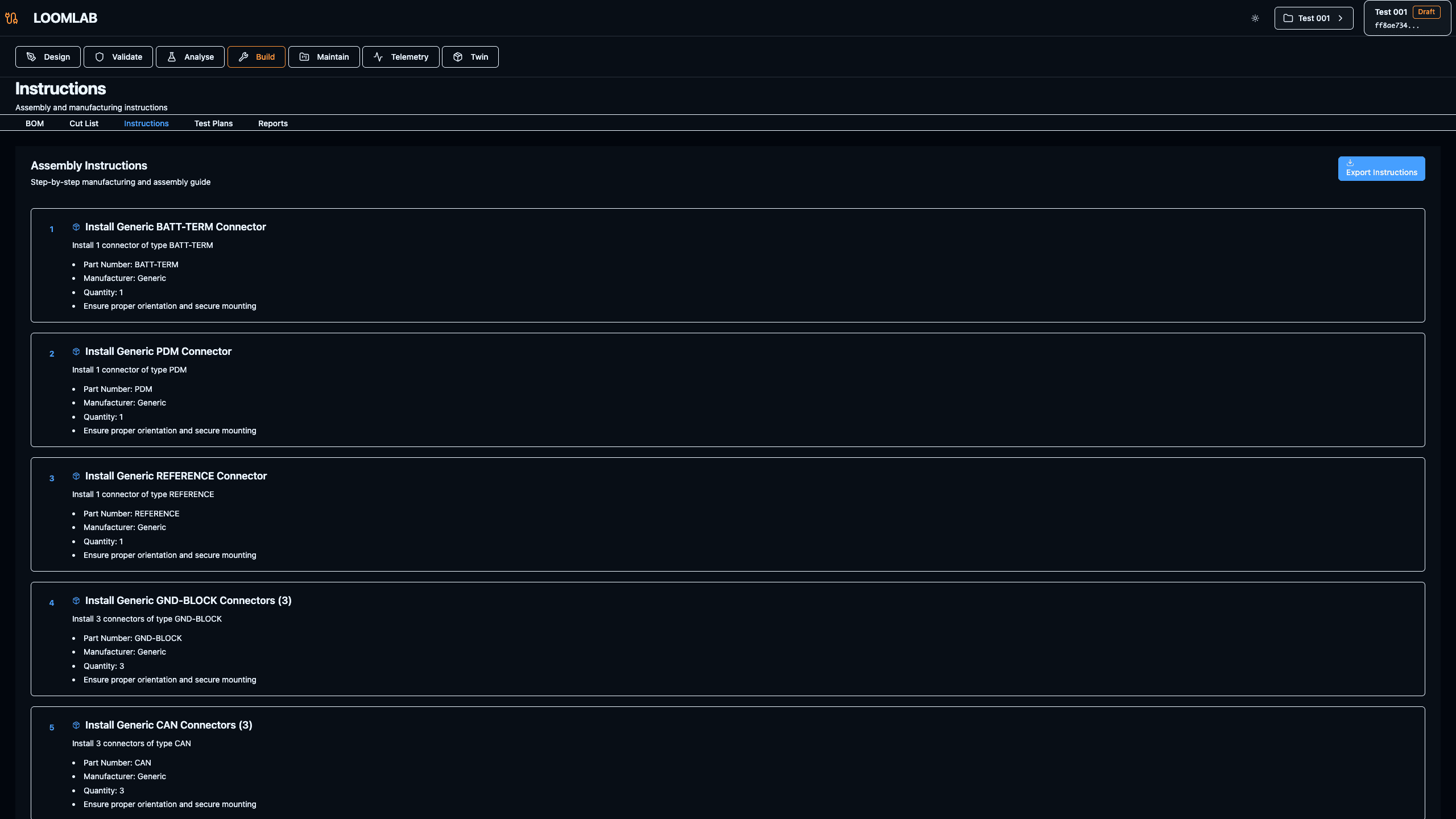
Actions:
- →Navigate to Instructions tab in Build page
- →Review step-by-step assembly procedures
- →Understand bundle assembly order and routing sequences
- →Check connector pin assignments and termination procedures
- →Verify instructions match current model revision
Expected Outcome: Assembly instructions showing bundle order, routing paths, and connector procedures matching current model
Export Project Data
Exports provide model interchange, backups, and integration with downstream tools. Export formats (YAML, JSON) preserve the complete electrical model including components, nets, routing intent, and metadata. Exports enable version control, tool integration, and model portability. The exported model remains traceable—it can be imported back or compared with other revisions, maintaining full lifecycle continuity.
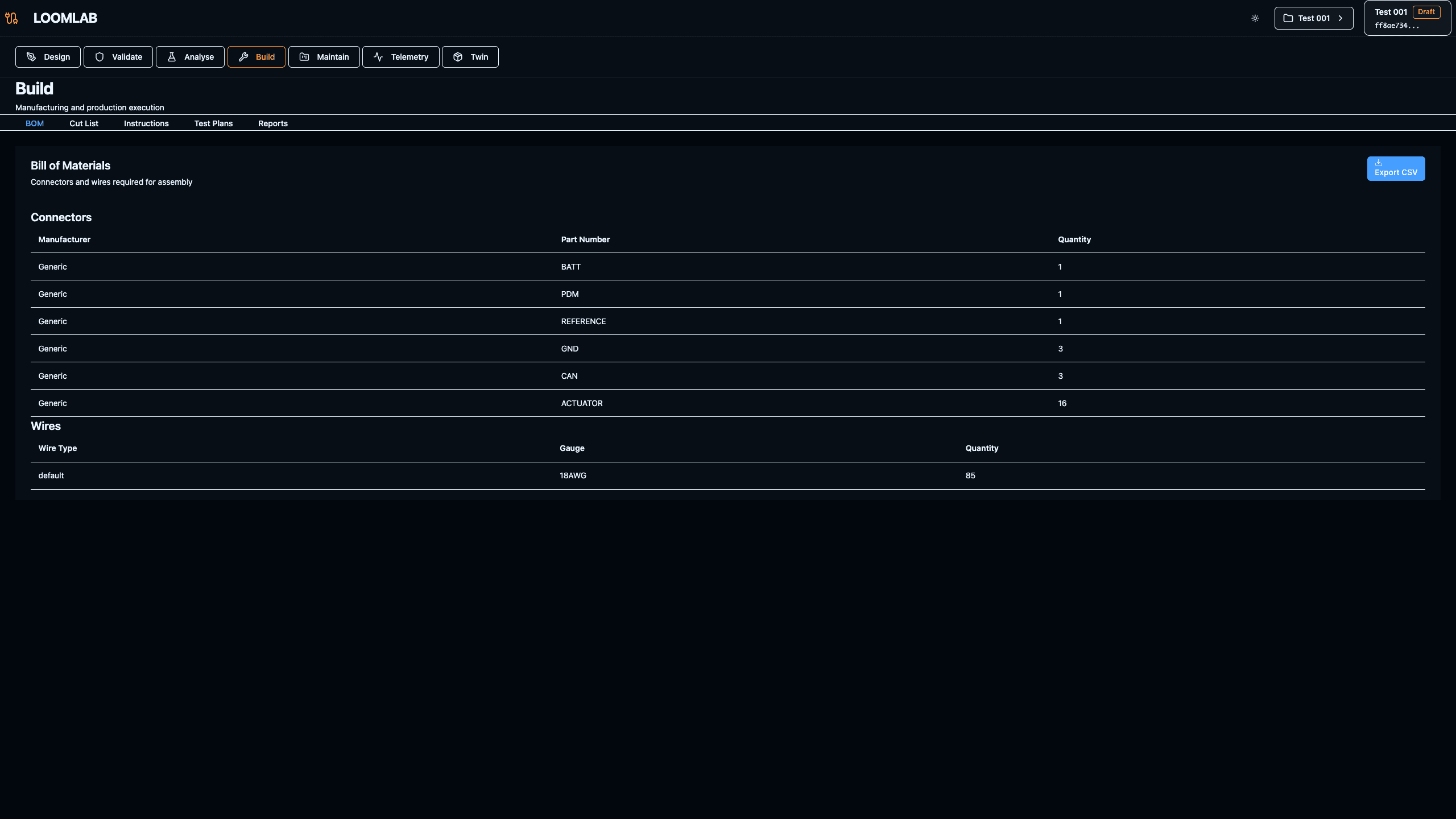
Actions:
- →Open export modal from Build page
- →Select export format (YAML recommended for readability, JSON for tool integration)
- →Review export options and included data
- →Save project snapshot with descriptive filename
- →Understand export structure and model representation
Expected Outcome: Export modal showing format options and successfully exported model file ready for version control or tool integration